Easy Grade Calculator: Free Easy Grader Tool and EZ Grader Chart
This easy grade calculator is a free easy grader tool built for the moment a stack of tests lands on your desk: an easy grader for teachers that turns the number of questions into an EZ grader chart, with the percentage and letter grade for every possible number of wrong answers, ready to look up or print. Students can use the same chart to check a score, and the tools below cover weighted grades, final exams and GPA.
EZ Grader Chart Explained
What is an EZ grader chart?
An EZ grader chart is a score table for one test size. Each row shows a number of wrong answers with the matching percentage and letter grade, so nobody has to divide on every paper. The classic version is a cardboard wheel; this one is a digital chart that adjusts to any number of questions and any grading scale.
How do teachers use an EZ grader?
- Count the questions on the test and enter that number above.
- Pick the standard A–F scale or the plus/minus scale, or set your own cutoffs.
- Count the wrong answers on each paper and find that row in the chart.
- Write the percentage and letter grade on the paper, or print the chart and keep it beside you.
Printable grader chart
Press Print chart (or Download PDF) for a clean one-page printable grader chart without the site navigation. For a ready-made chart at a fixed size, open the grading scale charts by number of questions.
From wrong answers to percentage
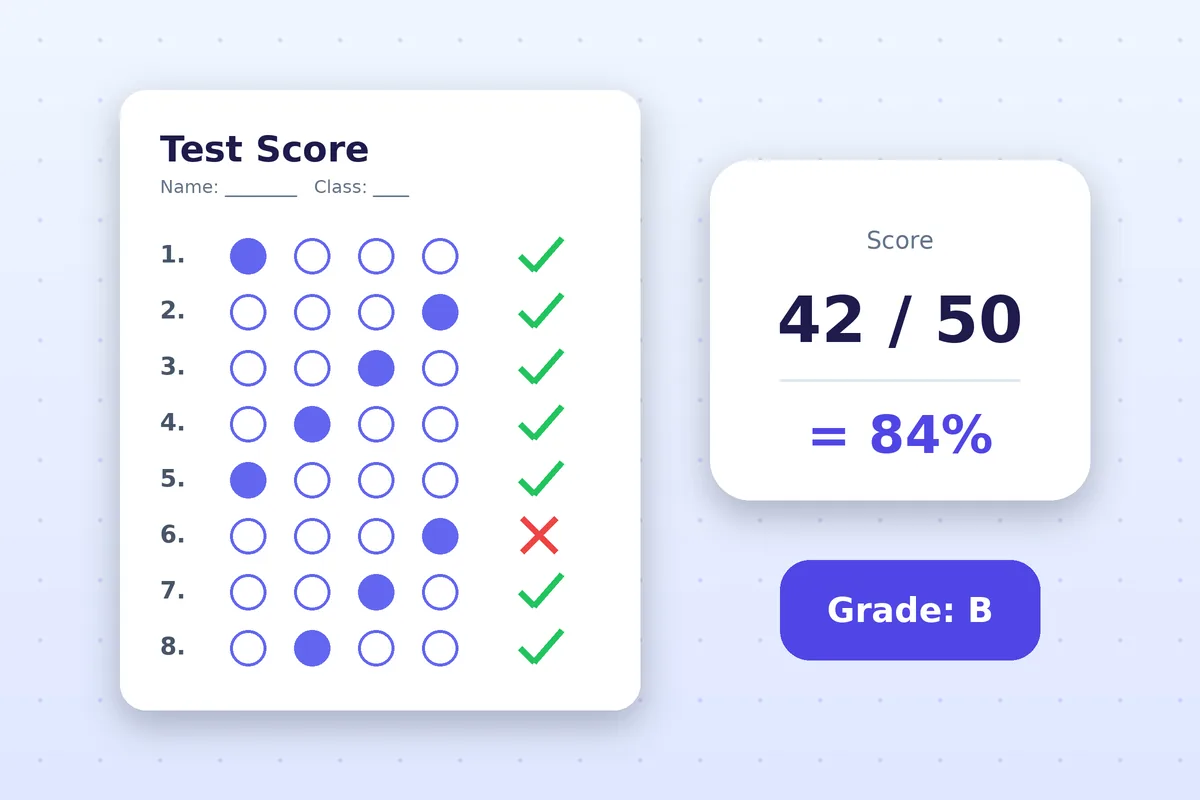
The chart uses one formula: (questions − wrong answers) ÷ questions × 100. On a 20-question test, 2 wrong answers gives 18 ÷ 20 × 100 = 90%. To grade a test where questions have different point values, use the test grade calculator instead.
Easy Grader vs. Manual Grading
Manual test grading
Manual test grading means working out each score by hand: subtract the wrong answers, divide by the number of questions, multiply by 100, then look up the letter. It is simple for one paper and slow and error-prone for a class of thirty, especially when the test size changes from quiz to quiz.
Printable grading chart vs grading by hand
A printable grading chart does the arithmetic once, in advance. You look up the number of wrong answers instead of recalculating, so every student with the same score gets exactly the same percentage and letter. Grading by hand still makes sense for essays and rubric work, where the score comes from your judgment rather than a count.
Is an online grader faster than grading by hand?
For objective tests, yes. Looking up a row takes a few seconds, while repeating the division and the letter conversion for every paper takes much longer and invites rounding slips. An online grader also keeps the grading scale consistent across all your classes.
What is the easiest way for a teacher to grade tests?
The easiest way is to build the chart before you start: choose the test size and scale, print the chart, then mark each paper by counting wrong answers and reading across. Use a calculator only for the cases a chart cannot cover, such as bonus points, weighted categories or a late penalty.
Best Free Grading Tools for Teachers
The best free grading tools for teachers share a few traits: they need no account, they run in the browser, they let you set your own grading scale, and they do not upload student scores anywhere. Easy Grade Tool works that way: calculations stay on your device and nothing you enter is stored on a server.
What is the best free grading tool for teachers?
It depends on the job. For grading a stack of multiple-choice tests, a chart-based easy grader is the fastest. For a semester grade, a weighted grade calculator is the right fit, and for curving a hard exam you want a curve calculator. Here is how the free tools on this site match the common jobs:
- Grading one test at a time: the EZ grader chart above or the test grade calculator.
- Course grades with categories: the weighted grade calculator.
- Hard exam, low scores: the grade curve calculator.
- Printing a reference sheet for the class: the grading scale charts.
Best grade calculator for teachers
A good calculator for teachers handles both single tests and whole courses, and shows its formula so you can check the math. Use the weighted version for category weights, then the average tool when you need a class mean, median and letter for a set of scores.
Online grader for classroom tests
An online grader for classroom tests should work on any device, including the phone you carry between rooms. This site installs as an app and keeps working offline once loaded, so you can grade in a room with no Wi-Fi.
EZ grader vs online grade calculator
An EZ grader chart lists every possible score for one test size, so it is built for speed across many papers. An online grade calculator takes any set of points and weights and computes one result at a time, so it is built for flexibility. Teachers usually want both, which is why they live side by side here.

How Grades Connect Across Tools
A test percentage becomes one assessment in a weighted course total, and the course letter feeds your GPA. Start with the chart or the test calculator, move on to the weighted calculator for the whole course, use the final exam page to plan the last assessment, and take the letters to the GPA calculator for a semester or cumulative figure.